Mortgage & loans module
Track your mortgage and see how much you save by overpaying
Build the repayment schedule of your mortgage or loan with the French (annuity) method, try overpayments to shorten the term or lower the payment and compare it with your bank's schedule.
Mortgage & loans
What is mortgage and loan management?
Complete control of your debts and the ultimate interest-saving simulator.
This module lets you record any debt or financial commitment (a home mortgage, a personal loan, car finance) and automatically get its repayment schedule, instalment by instalment.
You can see exactly how much principal and interest you pay in each instalment, and simulate in real time how early repayments affect your finances.
Related guide: Mortgage overpayments: term or payment
Related guide: Fixed, variable or mixed mortgage
Benefits
What is this module for?
It brings transparency to your loans, maximises your interest savings and protects you against discrepancies with your bank.
-
French repayment schedule
Automatically calculates the full schedule, instalment by instalment, with the exact breakdown of principal repaid, interest paid and outstanding principal.
-
Overpayment simulator
See how many thousands of euros in interest and how many months or years you save by making overpayments, choosing between Lower instalment and Shorter term.
-
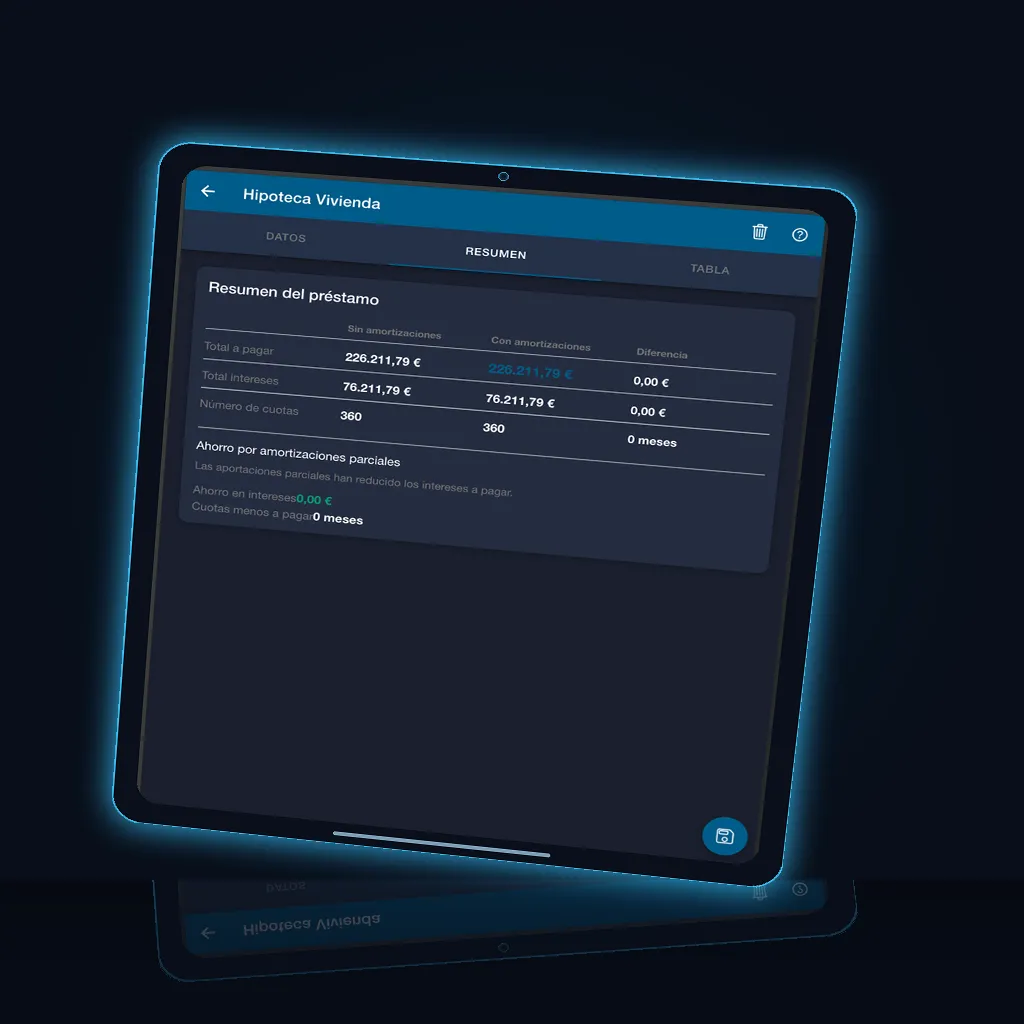
3-column comparison
Compare side by side the "Without repayments", "With repayments" and net "Difference" scenarios (Total to pay, Total interest and Instalments saved).
-
Check against your bank's schedule
Import your bank's repayment schedule (ING's Excel file directly, or any other in the app's standard CSV). Partial repayments are highlighted in orange and any discrepancy in principal repaid in red.
Step by step
How does it work in Finanzona?
Follow these 4 simple steps to keep track of your mortgage or loan.
-
Set up your debt's initial details
Enter the loan name, initial amount, term in instalments, interest rate (TIN %), initial instalments and the start date of the mortgage.
-
Check the interactive repayment schedule
Review, instalment by instalment, the principal repaid and the interest paid to the bank over the whole life of the loan.
-
Simulate partial repayments (overpayments)
Add early repayments by entering the instalment number and the amount paid. Choose between
Lower instalment(pay less each month) orShorter term(finish sooner). -
Export or import your bank's schedule
Download the schedule as CSV or load your bank's (ING Excel or standard CSV) to check it and spot discrepancies instantly.
Frequently asked questions
Mortgage and loan FAQs
Answers to your questions so you can make the best decisions about your debts.
What is a repayment schedule under the French method?
The French (annuity) method calculates fixed monthly instalments made up of a principal repayment (which grows over time) and bank interest (which gradually shrinks as the outstanding principal goes down).
What is the difference between Lower instalment and Shorter term?
If you choose Lower instalment, you keep your mortgage or loan's end date but pay a smaller amount every month. If you choose Shorter term, you keep your current monthly payment but automatically cut the number of months and years until the debt is paid off, maximising your total interest savings.
How does the app calculate the interest saved with overpayments?
When you record a voluntary early repayment of principal at a given instalment, the simulator recalculates the remaining payment schedule and compares the total interest with the original scenario without repayments, showing you the net saving in euros and the instalments removed.
Why import and export repayment schedules as CSV?
It lets you load your bank's repayment schedule (ING's Excel file as it is, or any other in the app's standard CSV) to check the actual instalments. The app highlights in orange the instalments with partial repayments and in red any principal discrepancy between your record and the bank's table.
Can I simulate or duplicate loans to compare different bank offers?
Yes. In Mortgage & loans there is a copy/duplicate loan button, so you can simulate the same amount at different interest rates (TIN %) or terms and make the best financial decision.
All in one app
More from Finanzona
Ready to save on your mortgage and loans?
Start simulating partial repayments today and see how much money you could stop paying the bank.
Want to see it first? Try the demo without creating an account · How it works