Work and payslips module
Your personal work calendar and your payslips kept safe
Plan your leave, public holidays, sick leave and your own day types in your work calendar. Keep your payslips and see how your income changes year after year.
Work & payslips
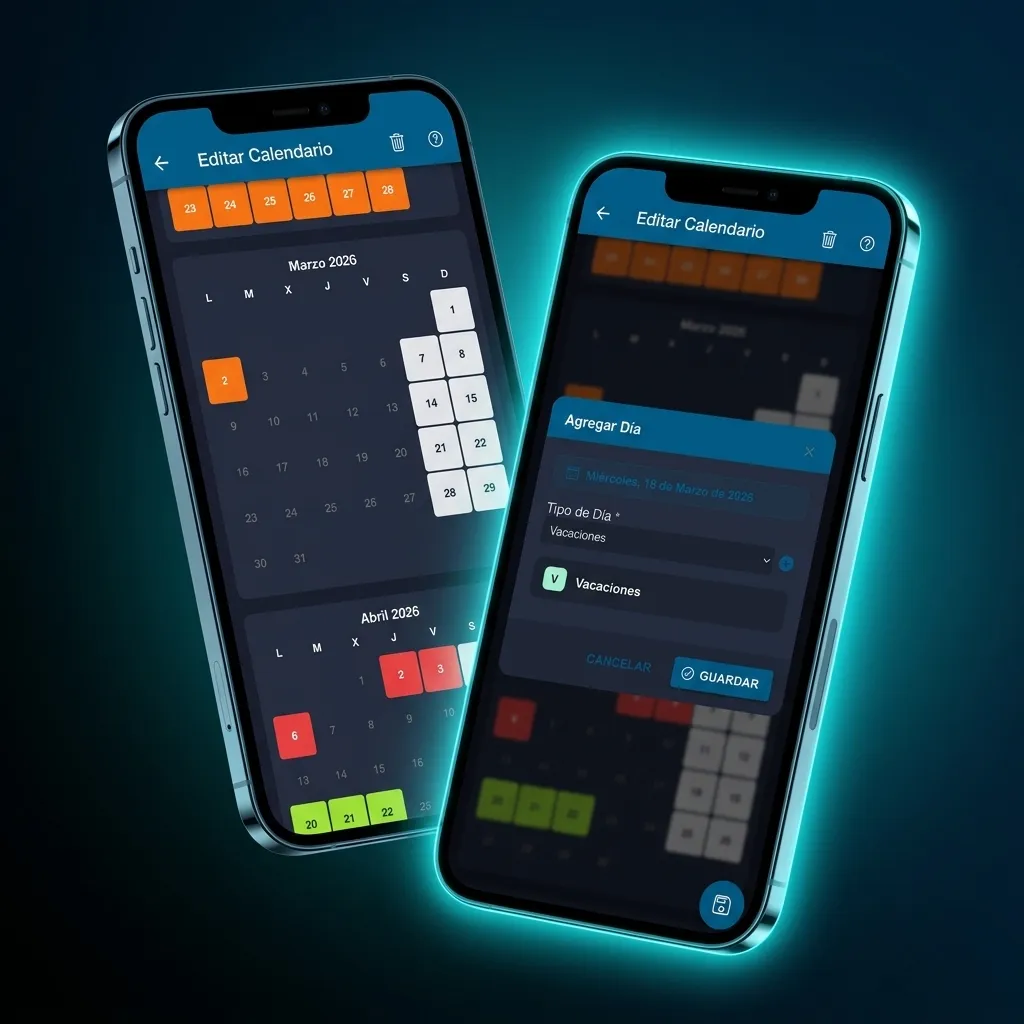
Work calendar and bulk entry
Clear, intuitive tracking of your working days, remaining leave and public holidays.
Set up your annual calendars by defining the start and end dates of the period and the total number of days of leave allocated for the year.
Thanks to the built-in tools, you can apply whole date ranges to assign absences in one go, automatically detect and add every weekend of the year, and create custom day types with colours adjusted to guarantee perfect contrast.
Related guide: How to read a Spanish payslip
Benefits
Why manage your work with our app?
Bring your working calendar and your finances together on one secure platform.
-
Leave and absence tracking
Note your available days of leave and see in the annual view how many days of each type you have recorded.
-
Digital filing in Cloud Storage
Attach your payslips as a PDF or image. They are kept in your subscription's private storage, which only its members can access.
-
Salary trend analysis
See in line charts how your net salary changes over the year and analyse the breakdown by employer.
-
Custom day types
Create day categories (on call, remote work, training…) in any colour you like; the text colour is calculated so it is always easy to read.
Step by step
How does the payslips module work?
File your payslips in 4 simple steps.
-
Enter the employer and pay period
Enter the company name (with smart autocomplete) and select the month and year the pay relates to.
-
Record the net amount received
Enter the exact amount paid into your bank account to keep your records up to date.
-
Attach the official document
Upload the file as a PDF or image (.png, .jpg) to store it in the cloud, linked to the payslip record.
-
Explore the analysis tab
Open the interactive charts to see how your salary has grown over time and compare different employers.
Frequently asked questions
Work and payslips FAQs
Answers to all your questions about the work calendar and filing your payslips.
What does the Work and payslips module include?
This module combines two tools: 1) the Work calendar, to keep track of leave, public holidays, sick leave and your own day types; and 2) payslip filing and analysis, to keep your payslips as a PDF or image and analyse how your income evolves.
How do I assign leave and days in the Calendar?
You can assign individual days or use the bulk date-range picker to set whole periods of leave or absence. There is also a button that automatically detects and adds every weekend of the year without overwriting public holidays you have already assigned.
Where and how are my payslips stored?
Whenever you attach a payslip (PDF or image), the app uploads it to Firebase Storage, in your subscription's private space, which only its members can access. You can view and download it whenever you need. Payslips count towards the subscription's storage (1 GB for its data and documents), which you can check in Subscription details.
Can I create custom day types with colours?
Yes. You can define your own day categories (for example, "Remote work", "On call" or "Training") and choose their background colour. The app applies a YIQ contrast algorithm so the text is readable on any shade.
Can I analyse how my salary changes across different employers?
Yes. In the Payslips Analysis tab, the app draws interactive charts that compare your net salary month by month and break down the income received from each employer.
All in one app
More from Finanzona
Ready to organise your work and payslips?
Start managing your work calendar today and keep your payslips safe in the cloud.
Want to see it first? Try the demo without creating an account · How it works