Utilities and subscriptions module
Track your electricity bill, gas, water and subscriptions
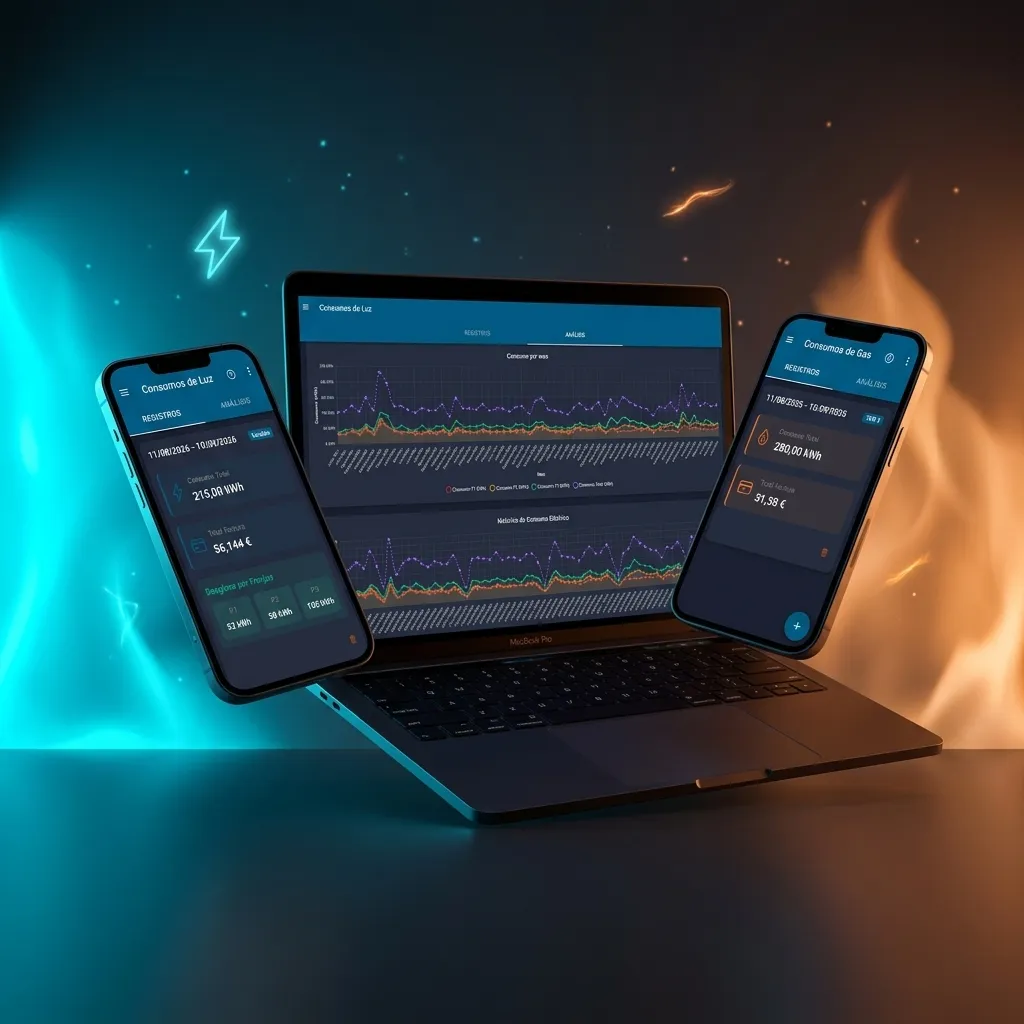
Record your electricity and gas bills with their use in kWh (for electricity, by peak, standard and off-peak period), water with its meter reading and your subscriptions with their next payment and yearly cost. The expense forecast tells you how much you will pay next month.
Utilities and subscriptions
What is utilities and subscriptions tracking?
Knowing how much you pay for electricity, gas, water and subscriptions, and when, is the first step to spotting overcharges and cutting your fixed costs.
Energy bills are often hard to read, with separate lines for contracted power, meter rental, network charges and taxes, and subscriptions pile up without you noticing: a monthly payment here, a yearly one there.
With Finanzona, you can easily record your billing periods, tell apart time-of-use (P1, P2, P3) and single-rate electricity tariffs, note your gas tariff (for example, Spain's regulated TUR tariff) and clearly see both the energy in kWh and the final cost in euros.
In My bills you keep all of them, of four types: electricity, gas, utilities such as water, with the cost of each bill and, if you like, the meter reading to see the usage between readings, and subscriptions you pay every few months (Netflix, Spotify, Wikiloc…), with the date and cost of each payment, the next payment and the estimated yearly cost. Each one appears in the menu with the icon you choose and in the order you prefer.
The expense forecast works out what you are expected to pay next month for each one and in total: the last amount if it has a fixed cost, or the average of the last year if it varies. And with automatic rules, new transactions that match a subscription or utility are recorded as a payment too.
Related guide: How to read a Spanish electricity bill
Related guide: How to keep track of your subscriptions
Related guide: What electricity power to contract
Benefits
Why track your bills and subscriptions with our app?
Turn your fixed costs into a steady source of savings.
-
Electricity and gas in detail
Split electricity into peak, mid-peak and off-peak periods (P1, P2, P3) and work out gas on the regulated tariff (TUR). Then follow your kWh use and the average price per kWh bill by bill.
-
Subscriptions under control
Netflix, Spotify, Wikiloc… Record each payment and see the next payment and the estimated yearly cost of each subscription. And water, with the usage between meter readings.
-
Expense forecast
See what you are expected to pay next month for each bill and in total, using the last amount if the cost is fixed or the average of the last year if it varies.
-
Automatic payments with rules
Say which transactions belong to a subscription or utility (text in the description, type and amount) and, when you create them or import your bank statement, the payment is recorded for you.
Step by step
How do I use the utilities and subscriptions module?
Organise your bills and subscriptions in 4 simple steps.
-
Create your bills
In "My bills" create yours: electricity, gas, a utility such as water or a subscription, with its icon and in the order you want to see them in the menu.
-
Record bills and payments
For electricity and gas, enter the billing period, the tariff, the kWh (split into P1, P2 and P3 if applicable) and the taxes. For subscriptions and utilities, the date and cost of each payment and, if you like, the reading.
-
Automate payments with rules
In a subscription or utility, add rules with the text of the description: new matching transactions, added by hand, imported from your bank statement or created by your AI assistant, record the payment for you.
-
Check the analysis and forecast
Use the trend charts (average price per kWh, cost of each bill) and the forecast of what you will pay next month.
Frequently asked questions
Utilities and subscriptions FAQs
Answers to your questions about electricity and gas bills, utilities and subscriptions.
What is the Utilities and subscriptions module?
It's a tool to record and analyse your electricity and natural gas bills (actual use in kWh, breakdown by time-of-use period and costs in euros), your utilities such as water and your subscriptions, with what you pay for each one and when the next payment is due.
Can I track my subscriptions and water usage?
Yes. In "My bills" you create subscriptions with their payment period (monthly, yearly or every few months), where you record the date and cost of each payment, and utilities such as water, with the cost of each bill and, if you turn it on, the meter reading. The app shows the next payment and estimated yearly cost of subscriptions, the usage between readings for utilities and charts of how the cost changes. You can choose the icon of each one and put them in the order you like in the menu and in "My bills".
How is the expense forecast worked out?
For each bill, the app estimates the date of the next payment from the subscription's period or, for the rest, from the average gap between its records. The amount is that of the last payment or bill if "Fixed cost" is ticked and, if not, the average of those of the last year. That way you see what you are expected to pay next month for each bill and in total.
Can my subscription payments be recorded automatically?
Yes, with automatic rules. In a subscription or utility you set up rules like the category ones: a text the transaction's description must contain and, if you like, the transaction type and a minimum and maximum amount. When a new transaction matches (you add it by hand and the app asks you before recording it, you import it with your bank statement or your AI assistant creates it), a payment is added to that bill with the transaction's amount; if the utility records meter readings, the reading is left empty for you to fill in. Rules only apply when transactions are created, never when they are edited or deleted, and they are not available for electricity or gas, which need the full bill details.
How does the time-of-use breakdown work for electricity?
The app supports variable and time-of-use electricity tariffs, splitting your use into three periods: P1 (peak, the most expensive hours), P2 (mid-peak, intermediate cost) and P3 (off-peak, the cheapest hours). You can see exactly how many kWh you use in each period.
Can I record gas bills on the regulated tariff (TUR)?
Yes. The gas module covers the standing charge (€/day), use in kWh, the Special Tax on Hydrocarbons, meter rental and the applicable VAT rate, so the calculation matches your supplier's bill exactly.
How does this tool help me cut my fixed costs?
With historical charts by month and period, you can spot unusual peaks in use, compare offers from different suppliers, analyse your home's energy efficiency and adjust your habits to the cheapest periods. And with the yearly cost of each subscription, you can decide which ones are no longer worth it.
Can I import or export my bills and payments as CSV?
Yes. You can download your electricity and gas bills and the records of your subscriptions and utilities as CSV, or bulk-import those from earlier periods so you have a complete history straight away. And if you connect your AI assistant, it can look them up along with the expense forecast.
All in one app
More from Finanzona
Ready to see what electricity, gas and your subscriptions really cost you?
Start recording your electricity, gas and water bills and your subscriptions today and know each month what you have to pay.
Want to see it first? Try the demo without creating an account · How it works